
Start before booking: ask for evidence, not labels
A 'dedicated workspace' can mean a proper desk or a dining chair beside a narrow shelf. Before booking a Valencia apartment for remote work, ask for a current photo showing the full chair, work surface, nearby sockets and natural light. Request the desk height and usable width if you need an external monitor.
Ask for a recent speed-test screenshot taken inside the room where you will work, not only the router's advertised plan. Confirm whether the router is in the apartment, whether Ethernet is possible, and whether several units share one connection. If calls are critical, ask about street noise, construction, interior courtyards and other guests.
Keep a first-day fallback: a coworking day pass, mobile-data allowance or nearby quiet workspace. The fallback is not an admission that the apartment setup failed; it prevents one missing cable or unstable connection from disrupting a client meeting.
Build the minimum viable workstation
Start with the smallest setup that supports your actual work: stable surface, supportive chair, screen at a comfortable height, external keyboard and mouse, power access and reliable connectivity. Add equipment only when it solves a defined problem.
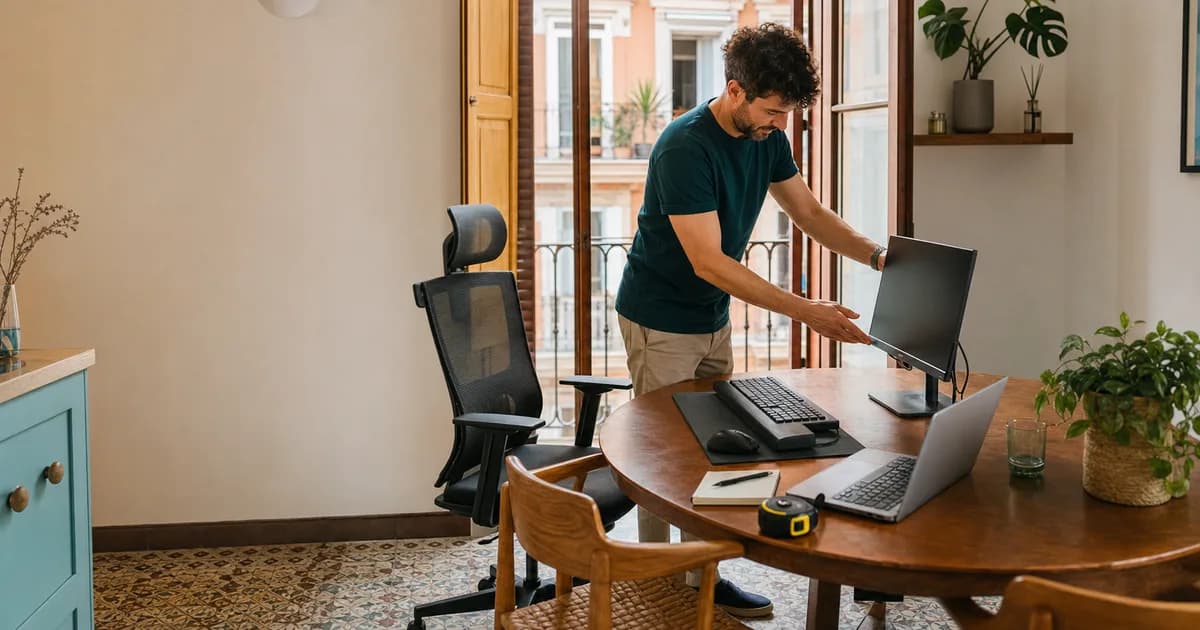
Place the monitor directly in front of you, roughly an arm's length away, and raise it so you are not repeatedly bending your neck toward a laptop. Keep shoulders relaxed and elbows near your sides. An adjustable chair makes this easier; otherwise, change the work-surface or seat height carefully and keep your feet supported.
Measure before arranging delivery. Check table depth, doorway and lift access, free floor area, socket location and whether furniture may be moved. A large desk is not useful if it blocks the apartment or cannot reach the room. For many temporary stays, one monitor and a good chair provide more value than recreating an entire permanent office.
Control light, heat and call conditions
Valencia daylight is helpful until it reflects across a screen. Position the display perpendicular to the brightest window where possible, use blinds to control glare and add a lamp for evening calls. Avoid sitting with a bright balcony directly behind you unless your camera handles backlighting well.
In summer, room temperature can determine whether the workspace is usable. Ask which room has air conditioning, whether the unit can run during calls and whether a portable system needs a window outlet. Keep shutters closed during the hottest part of the day and schedule ventilation for cooler hours.
Test a real call on arrival with the door and windows in the positions you expect to use. Listen for echo, traffic, neighbours and appliance noise. Headphones help, but they do not solve poor upload stability or a room that cannot stay comfortable for a full work block.
Choose apartment, coworking, or a hybrid
Work from the apartment when privacy, irregular hours, confidential calls or eliminating a commute matter most. Choose coworking when you need meeting rooms, social contact, backup connectivity or a clear separation between work and home.
A hybrid often works best: equip the apartment for focused work and routine calls, then buy occasional coworking access for workshops, important meetings or community. Compare the complete cost and friction—travel time, access hours, call booths and equipment—not only the monthly desk price.
For stays of several weeks, renting equipment can avoid buying, assembling and disposing of furniture. Browse Remote Work equipment in Valencia or request a coordinated Remote Work Apartment Kit. Confirm dimensions, ports, access, dates and delivery before relying on any setup.
Your arrival-day setup checklist
Run a speed test in the work room, connect every device, test the webcam and microphone, confirm charging under load and complete one real video call. Check that the chair and monitor remain comfortable after at least 30 minutes—not only during the first impression.
Photograph the cable layout and furniture position if you will need to restore the apartment. Keep walkways and exits clear, avoid overloaded adapters and confirm with the host before moving heavy furniture or fixing anything to a wall.
Finally, review the setup after one working day. Move the screen, chair or light while the problems are small. A temporary office does not need to look permanent; it needs to remain reliable, comfortable and easy to remove at the end of the stay.